
Posts are the way most WordPress-based sites display content, whether that content be text, images, or videos. This page highlights what you will find under the Posts menu item on the sidebar of the back-end and how to use all the features on a new or existing post page.
All Posts List
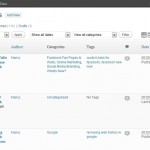
From the dashboard, selecting the “Posts” item in the sidebar with a click, or mousing over “Posts” and selecting “All Posts” on the sub-menu will bring you to the same “All Posts List.” This displays all of the regular posts…
Add / Edit Post Screen

The “Add New Post” screen can be accessed from the “Posts” sidebar menu or from the top of any post screen in which you are editing a post. “Edit Post” is the same screen except for a post which has…
Categories and Tags
Full documentation on how categories and tags are used in posts can be found on here. The Categories main screen provides management opportunities for existing categories independent of their assignment to posts. Creating New Categories New categories can be created…
Custom Post Types
Sometimes a website will require special functionality for different types of post (e.g. News posts, events posts, slide photos in sliders etc.). In this case, some websites will have what are called Custom Post Types. In many ways they have…

